
General
General
- Classify during time between calls, Aim for 50 per day. (More is appreciated)
- Make sure to use the New Search Tool in ServiceTitan.
- INBOUND/UNBOOKED calls only, Work from the 1st of the month towards current date.
- Listen to beginning and end of Unbooked calls to determine if it is a lead for future business.
- Please state Company name, # of calls, and date after each classification session inside #turnpoint-classification slack channel. Also mention DONE if you finished that dates call list.
- Ensure you are entering under correct Company TAB inside Classification google Doc.
- Before adding a date as being DONE, please double check all calls have been classified for that date.
- Calls lists will be entered beginning of day inside google doc.
- Enter your name and todays date on each call you are classifying. (10 at a time please)
- Copy phone number
- Load up the company you are working on inside Service titan.
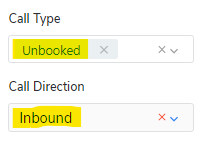
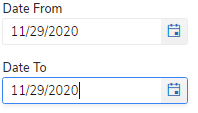
- Select options; CALL, UNBOOKED, INBOUND, DATE OF CALL.
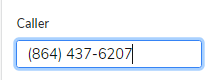
- Paste phone number under Caller and press search.
- Listen to call, post results in google doc under related number.
- If multiple numbers populate, this just means there is more than one call made from this customer
- If no number populates, this means it has already been classified, remove it from your list and continue.
- If a number has been classified already, remove it from your list and continue.
- If a number shows as 'unavailable' it will need to be found manually by searching all Unbooked calls for that day and going through the list until found.
- We have found calls where it will not allow you to listen to the call, if this happens put in google doc: Excused, Other, Unable to listen to call, No -- Then move to the next call.
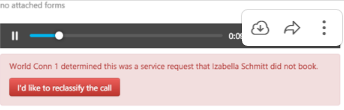
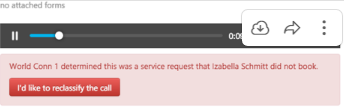
- If you see this screen, go to next because it has already been classified.
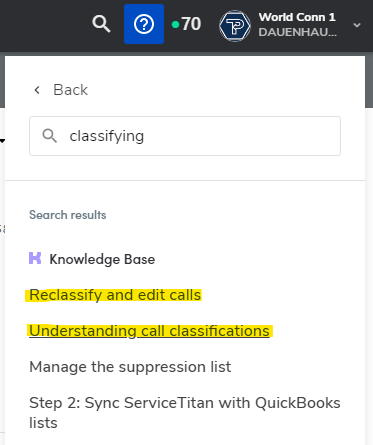
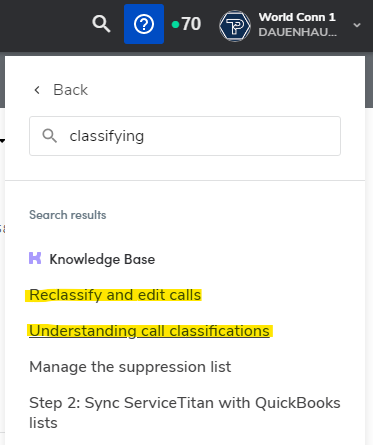
- For additional information Click '?' inside ServiceTitan, search for 'classifying'
- Classify all brands, listen to beginning and end of unbooked calls to determine if it is a lead for future business.
- Service Titan classifies a call automatically as a lead after 60 seconds into a call.
- INBOUND calls only.
- Unbooked calls only.
- Work only the current month calls, its Nov. 2 today, so we would classify Nov 1st and Nov 2nd.
Full How-to
- Select appropriate brand in Service Titan (DH, Elmore, H20 etc.)
- Click "search icon" on top right of screen.

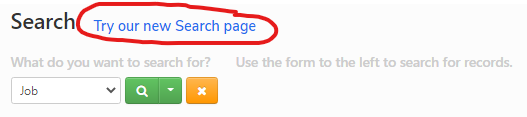
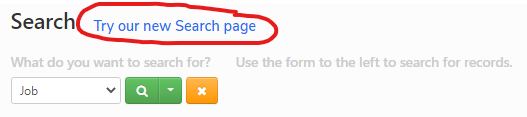
- At this point make sure you are inside the New Search Page. Click "Try our new Search page"
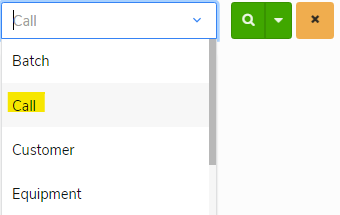
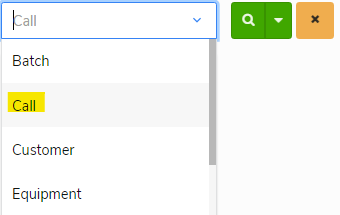
- Select 'Call' on drop down
- 'Call Type' will be UNBOOKED and 'Call Direction' will be INBOUND.
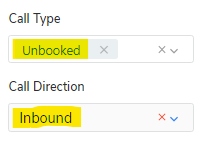
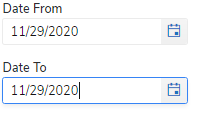
- Select applicable timeframe, refer to Classification Google doc to see what dates have been completed.
- Copy number you are working from Google Doc.

- Paste in 'Caller' field.
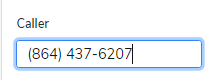
- Click search

- Click on headset icon next to customers name.

- Listen to call (mostly intro and end) to determine if the call was Unbooked, booked, related to a previous job, or excused. Also if it was a Lead for business.
- If what Service Titan determined was correct, select 'Correct' and move on to the next call.
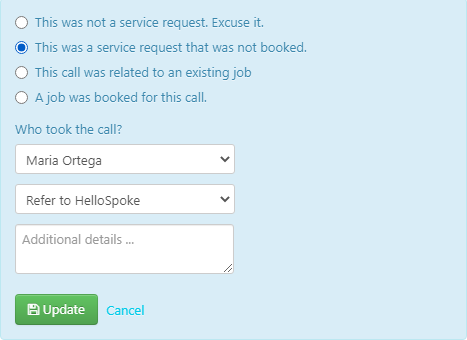
- If what Service Titan determined was not correct, select 'I'd like to reclassify the call' and move to next step.

- (If you select 'I'd like to re classify the call') Select the appropriate option, ensure it shows the
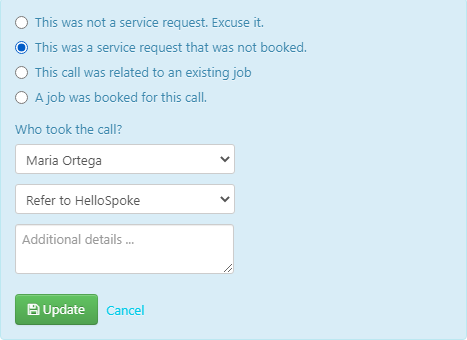




- Add all required information to Google Doc.
- Rinse and repeat.
Lead or No Lead?
LEAD: A job/booking was asked of us (that we provide) and we were unable to book the call.
NO LEAD: No job/booking (that we can provide) was asked on this phone call.
Lead or No?
| LEAD | No Available timeframe |
| Customer wanted a quote | |
| Customer did not want to pay afterhours/dispatch fees. | |
| In the middle of a booking and call drops. | |
| Accepting estimate | |
| Customer said they need to call back |
| NO LEAD | Call in about a current job | ||||||||||||||||||||||||||||||||||||||||||||||||
| Canceled appointment | |||||||||||||||||||||||||||||||||||||||||||||||||
| Confirm appointment time | |||||||||||||||||||||||||||||||||||||||||||||||||
| Customer called to cancel appointment | |||||||||||||||||||||||||||||||||||||||||||||||||
| Dead air / dropped call / Abandoned | |||||||||||||||||||||||||||||||||||||||||||||||||
| ETA | |||||||||||||||||||||||||||||||||||||||||||||||||
| File a complaint/talk to supervisor | |||||||||||||||||||||||||||||||||||||||||||||||||
| Internal Transfer | |||||||||||||||||||||||||||||||||||||||||||||||||
| Invoice request | |||||||||||||||||||||||||||||||||||||||||||||||||
| Not the owner of property or home | |||||||||||||||||||||||||||||||||||||||||||||||||
| Rescheduled for different day | |||||||||||||||||||||||||||||||||||||||||||||||||
| Tech calling in | |||||||||||||||||||||||||||||||||||||||||||||||||
TAB: Classification
General (tag)
General





Google Doc Special Case 'Reason'
|
|||||||||||||||||||||||||||||||||||||||||||||||||
| We do not provide service requested | |||||||||||||||||||||||||||||||||||||||||||||||||
| We do not service Location | |||||||||||||||||||||||||||||||||||||||||||||||||
| Wrong number | |||||||||||||||||||||||||||||||||||||||||||||||||
| HomeServe | |||||||||||||||||||||||||||||||||||||||||||||||||
| If there's a note on account saying Do Not Book or Cannot Book per (billing/etc.) |




- Positive for Covid, no negative test received yet